



Discover Gemstream
Scroll gaming news

Palworld by Pocketpair is available on PC via Steam and Xbox Game Pass since January 2024. The Nexus Mods community jumped in from day one with thousands of free contributions. Here are the 10 best mods ranked from the least to the most essential for your playthrough.
Better Night Light V2.6 rewrites the vanilla night lighting of Palworld into a mix of bright and dark blue tones way easier on the eyes. This purely cosmetic mod fixes the frustrating pitch-black nights that tank visibility during nighttime sessions. A solid pick for players who find the vanilla night cycle visually punishing without wanting to disable the day/night rotation entirely.
Installation on the Steam version stays straightforward. Drop the .pak file into your Palworld\Pal\Content\Paks~mods folder and create that folder if it doesn’t exist. No UE4SS setup required for this simple .pak version. Compatible with Palworld 1.0 and available on both CurseForge and Nexus Mods for extra convenience.

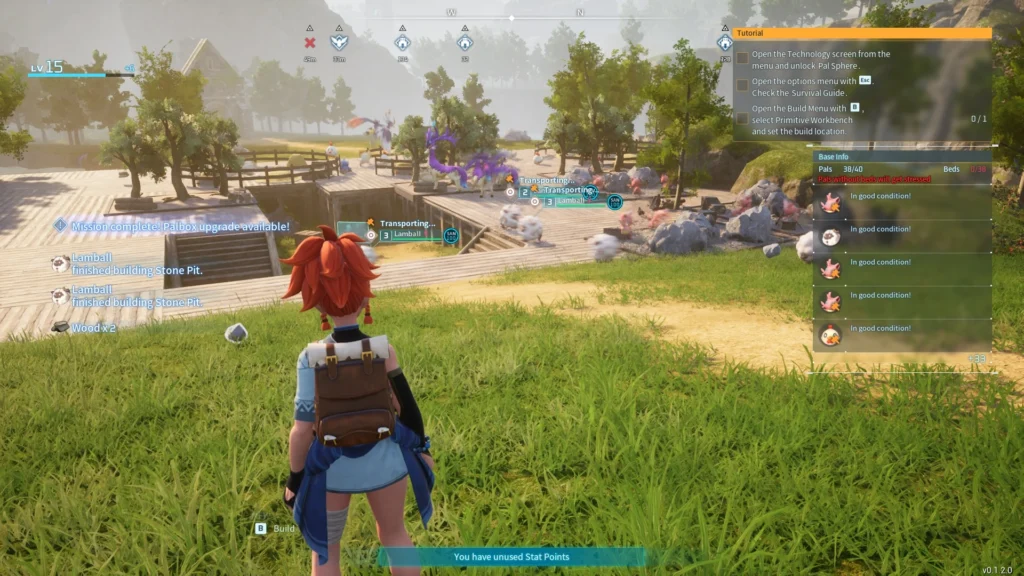
Increased Base Amount and Worker Pals bumps up both the buildable base count and the worker Pals cap per base. Vanilla limits quickly frustrate players who spot multiple sweet map locations without the ability to actually settle in all of them. The mod nukes this artificial cap and unlocks a properly extended empire management setup.
Installation requires UE4SS as a prerequisite. Then extract the files into Palworld\Pal\Binaries\Win64\Mods and add the matching line into mods.txt. Compatible with multiplayer as long as you install the mod on both server and client sides. Highly recommended for groups of 8 players and more who hit the vanilla caps way too fast.
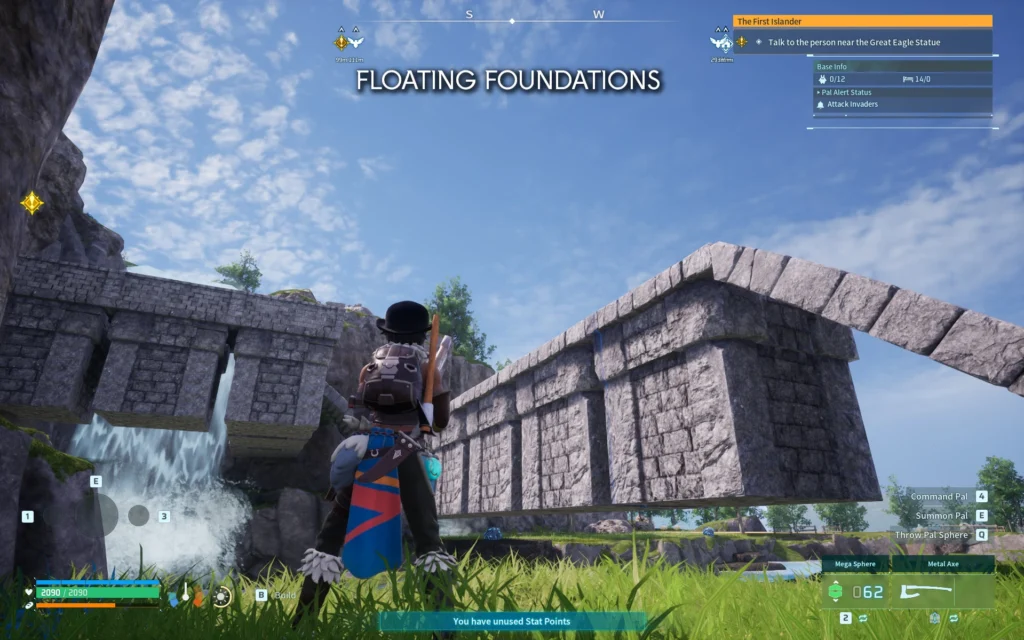
Less Restrictive Building by Caites throws out the main vanilla building restrictions. The mod unlocks floating foundations over water or thin air and kills the maximum height cap. It also unlocks building on very steep slopes up to 90 degrees and strips out annoying collisions. Aspiring architects can finally pull off their cliffside fortresses and impossible suspension bridges the base rules blocked before.
Installation requires UE4SS version 2.5.2 or 3.0.0+ as a prerequisite. Then extract the mod into Palworld\Pal\Binaries\Win64\ue4ss\mods and add LessRestrictiveBuilding : 1 into the mods.txt file. Compatible with Palworld 1.0 with active support since the game’s early access launch.
Fast Travel From Anywhere unlocks teleportation to any fast travel point, tower or base camp from literally anywhere on the map. The mod scraps the vanilla restriction that forces you to be inside a rest zone to use the fast travel map. A massive time saver for active explorers who want to skip minutes of on-foot travel between every expedition on the island.
Installation requires UE4SS with its Blueprint mod loader enabled. The developer yakuzadeso explicitly recommends the Blueprints version over the DLL one when in doubt. Compatible with Palworld 1.0 with a confirmed check by the Nexus Mods team in its official article roundup.
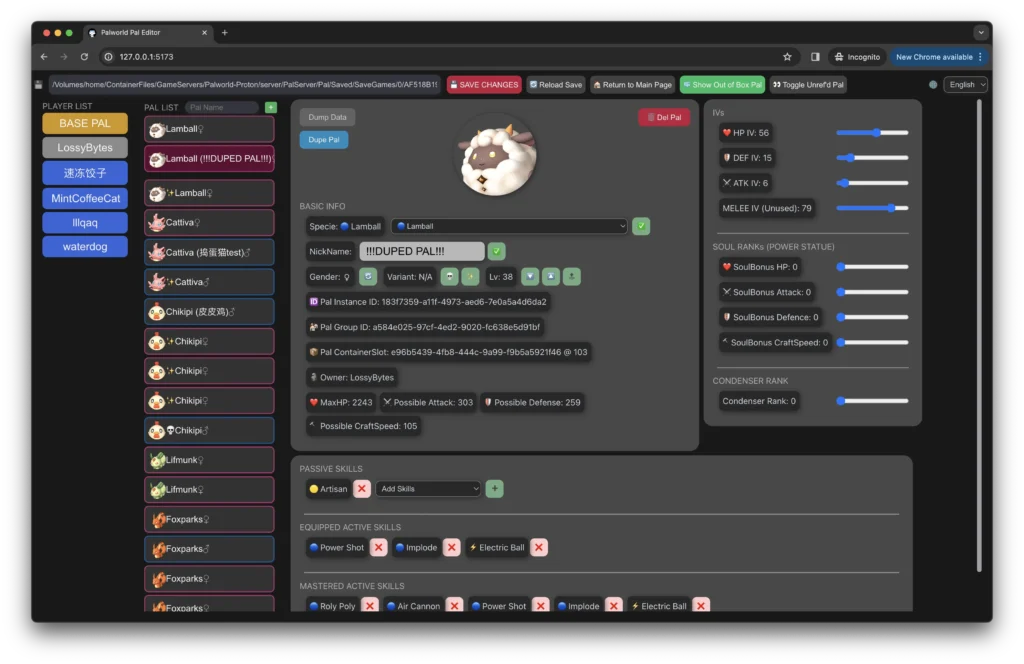
Palworld Pal Editor – Yet Another Save Editor by connlost is the ultimate tool for editing your Pals directly in your save file. The mod lets you tweak the level, experience, passive skills and IVs of your Pals. It also handles the equipped skills, the condenser level and the CharacterID species of each creature. A standalone tool that runs on GUI, WebUI, Docker or CLI depending on your technical preference.
Installation uses the pre-compiled executable without needing Python or UE4SS. Grab the latest version from the Nexus Mods page or via pip install palworld-pal-editor for advanced users. Compatible with the local Steam save located in %localappdata%\Pal\Saved\SaveGames. Interface available in English, Japanese and Simplified Chinese with active community support.
Palworld Gameplay and Combat Tuner is a unified configurator that lets you fine-tune every game parameter with precision. You control the carry weight, the tech points and the base range on the player side. The mod also adjusts enemy HP, damage output, boss scaling and aggression on the enemy side. All of it through a graphical interface that installs the mod in a single click on your setup.
Installation uses the standalone Tune application that handles the whole process. Just select your game install location and hit the install button. The mod requires UE4SS and PalSchema which get installed automatically by the configurator itself. Every section stays independent for a custom balancing without compromising the other game parameters.
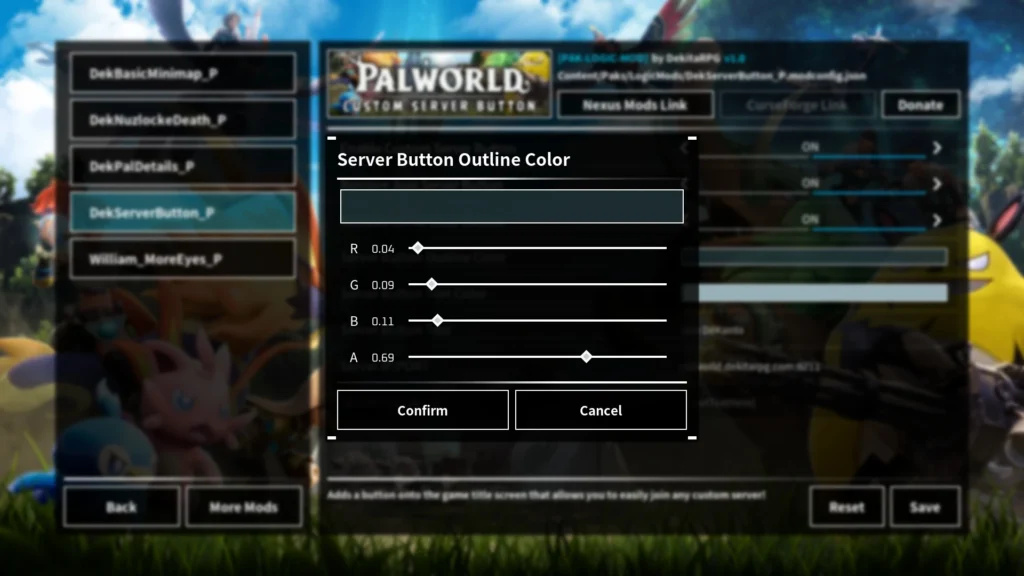
Mod Config Menu (UI) consolidates every mod configuration into one clean in-game interface. Without this mod, every parameter tweak forces you to manually edit the matching config files with a full game restart afterwards. The modding community rapidly picked it up as the mandatory UI foundation. It becomes essential as soon as you install more than a couple of mods on your playthrough.
Installation requires UE4SS as a prerequisite. Then copy the contents of the Pal folder from the mod into your Pal folder of your install by merging the files. Warning installation happens on the client side only and never on the server side to avoid multiplayer sync conflicts. Compatible with dozens of popular mods like Basic Minimap, Cheat Menu and Paldar MiniMap Radar.
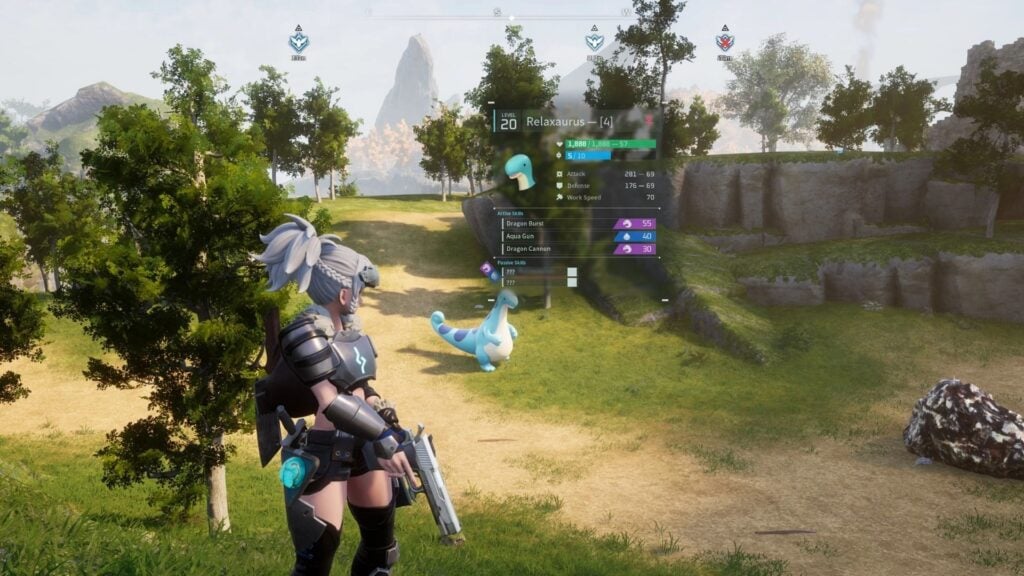
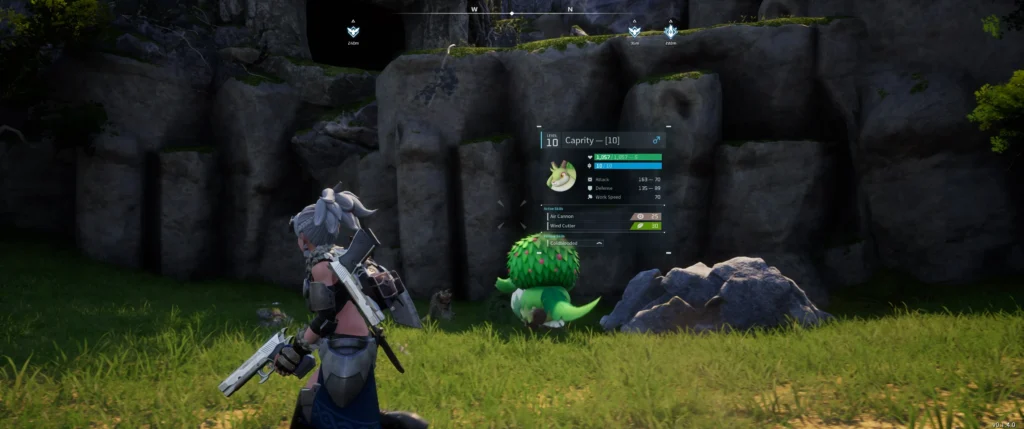
Pal Analyzer by ThisIsZac displays the details and stats of every wild Pal just by hovering your cursor over the creature. The mod progressively unlocks the available info as you catch more Pals to preserve a balanced exploration feeling. The interface uses the vanilla UI elements of the game to blend naturally into the experience without breaking the visual immersion.
Installation requires you to place the extracted files into Palworld\Pal\Content\Paks\LogicMods. Create the LogicMods folder if it doesn’t exist in your install yet. The Shift + O hotkey opens the mod options menu once the game launches. Compatible with multiplayer by pressing the Insert key after joining a server to reload the active client-side mods.
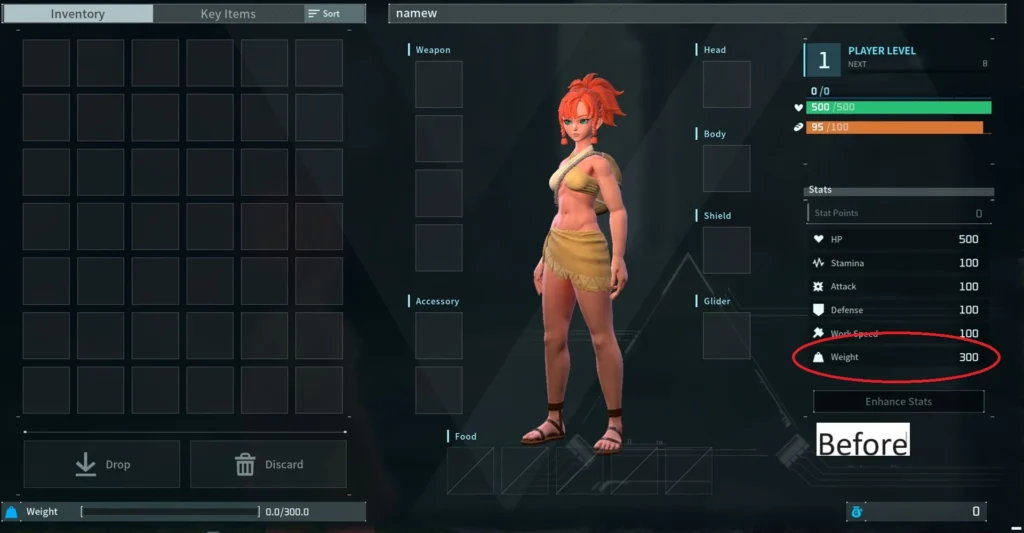
Carry Weight Increase is one of the modding scene pillars of Palworld with a cult status on Nexus Mods. The mod bumps up your maximum carry capacity and optionally reduces the weight of items in your inventory. Values stay fully configurable to nail the balance that works for you without breaking the game progression.
Installation requires UE4SS as a prerequisite. Then download the archive and extract it into Palworld\Pal\Binaries\Win64\Mods for the Steam version or into AppData\Local\Pal\Saved\Config\WinGDK\Mods for the Xbox Game Pass version. Compatible with multiplayer as long as you install the mod on both server and client sides. Same version on both ends is mandatory to avoid sync conflicts between players.
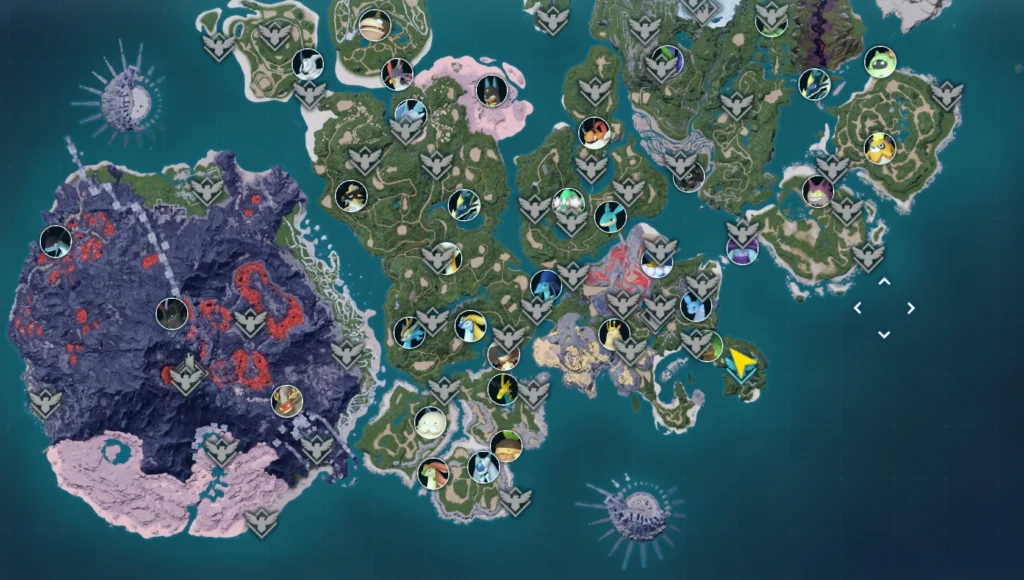
MapUnlocker stands as an absolute must-have across the entire Palworld community on Nexus Mods. The mod reveals the full Palpagos map instantly from install by scrapping the vanilla fog of war. The fast travel points stay locked and still need to be discovered normally to preserve the progressive exploration spirit of the game.
Installation requires UE4SS properly installed inside Palworld\Pal\Binaries\Win64. The MapUnlocker folder needs to sit inside ue4ss\Mods with the right structure and no extra nesting. Compatible with single player, multiplayer, local and community servers according to its developer W1ns. A must-install that explains its top-tier status since the game’s launch.

Scroll gaming news
Salut ! Moi c'est Barnabé, l'assistant gaming de RetroGems ! Pose-moi tes questions sur les jeux vidéo, les actus ou le contenu du site. Miaou ! 🎮
Tapez pour rechercher
Comments
Log in to comment
Continue with GoogleBe the first to comment on this article!