


Gothic 1 Remake Cheats Guide: Unlock Marvin Mode, Godmode and Every Console Command

Franck Levasseur

0
🇫🇷 Lire en français
Gothic 1 Remake Cheats Guide: Unlock Marvin Mode, Godmode and Every Console Command

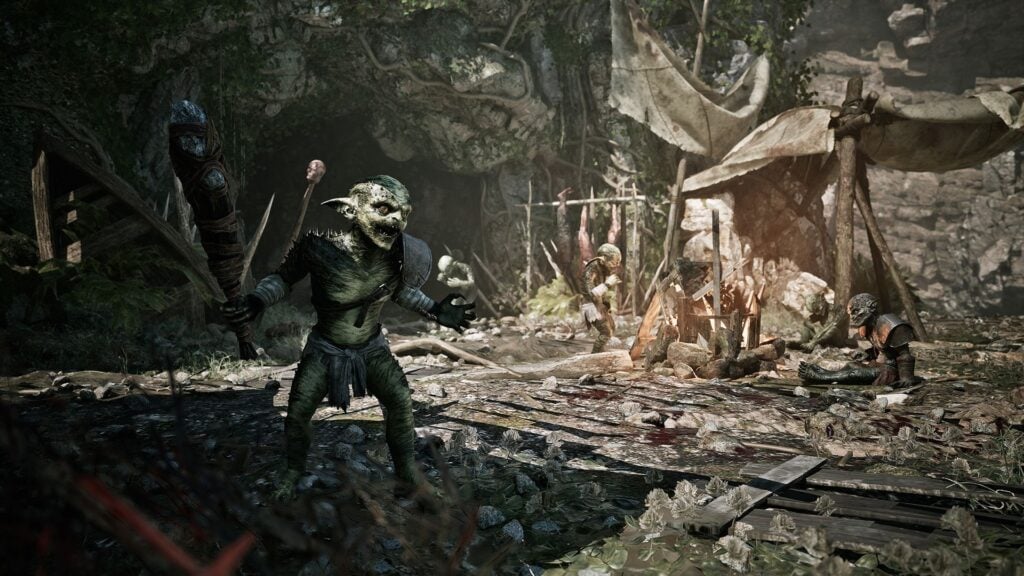
Gothic 1 Remake, the long-awaited rebuild of Piranha Bytes’ cult RPG by Alkimia Interactive, doesn’t ship with the iconic Marvin Mode baked into the original games. The good news? A mod from KZekai on Nexusmods unlocks a fully working console and every cheat code you’ll need to break the Valley of Mines wide open.

How to Enable Cheats in Gothic 1 Remake

The mod takes less than 5 minutes to install and requires zero technical know-how. Here’s exactly how to get it running:

  • Step 1 -> Download BP Mod Loader and Console Enabler from KZekai’s official Nexusmods page
  • Step 2 -> Follow the install instructions laid out on the mod page
  • Step 3 -> Uninstall UE4SS if you had it set up for other mods (it conflicts with this loader)
  • Step 4 -> Launch Gothic 1 Remake and load up your save
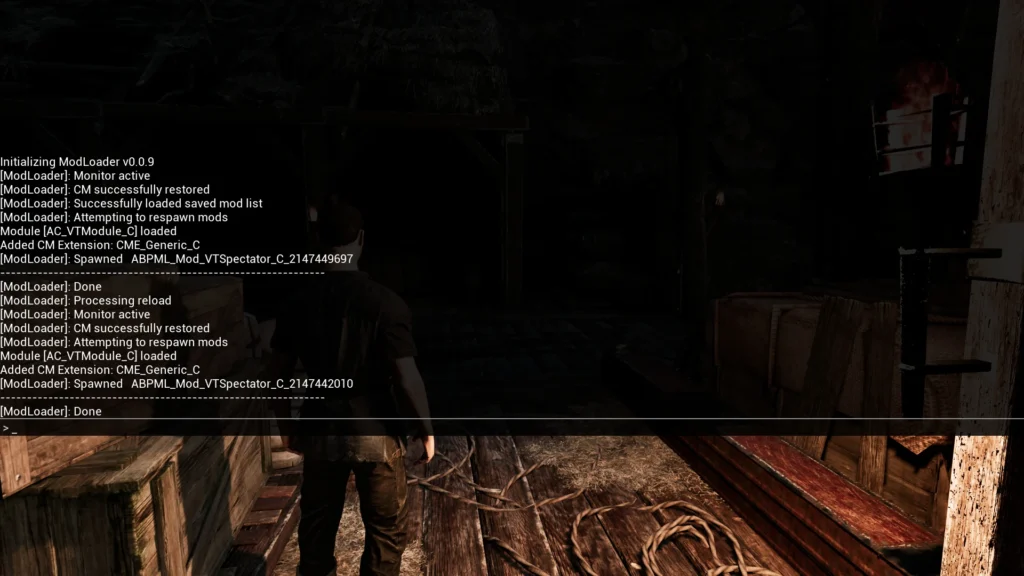
  • Step 5 -> Pop open the console with a double tap of F1 (or ~ / ` twice depending on your keyboard layout)
  • Step 6 -> Type your command into the text box and hit Enter to run it

How to Enable Cheats in Gothic 1 Remake

Combat and Survival Cheats

This category bundles the commands for going invincible and breezing through parries against the Colony’s nastiest enemies:

  • Toggle godmode on or off -> godmode true or godmode false
  • Toggle auto-parry on or off -> parrycheat true or parrycheat false

Time and Weather Cheats

To mess with time and weather across the Valley of Mines, you’ve got the following commands at your disposal:

  • Freeze or unfreeze game time -> freezetime true or freezetime false
  • Skip forward by X seconds -> skiptime [seconds]
  • Set the time of day (hours minutes seconds) -> setclocktime [hh] [mm] [ss]
  • Set the full game clock (day hours minutes seconds) -> setgametime [dd] [hh] [mm] [ss]
  • Fetch the current game time -> getgametime
  • Tweak the game’s timescale -> timescale [value]
  • Change the weather -> setweather [name] (values: Sunny, Rain_Level1, Rain_Level2, Rain_Level3, Cloudy, Count)

Crime and Reputation Cheats

If you’ve accidentally turned a faction hostile or racked up an unwanted rap sheet, these commands let you reset things without rolling back to an old save:

  • Get the details of a specific crime by ID -> getcrime [id]
  • Clear a specific crime from your record -> forgivecrime [id]
  • List every crime committed during the session -> getpastcrimes

Item Cheats

To stack your inventory and conjure up specific gear like Ore Nuggets or rare weapons, here are the essential commands:

  • List every item containing a string -> listitems [string] (leave empty to dump EVERY item in the game)
  • Add an item to your inventory by name -> additem [name] [quantity]
  • Add EVERY item in the game at once (use at your own risk) -> addallitems or giveallitems

To find the exact item name for additem, fire off listitems with a partial keyword first. For instance, typing listitems ore returns every item with « ore » in its name, giving you the precise ID to plug into the add command.

NPC and Door Cheats

To summon NPCs, beasts, or pop open locked doors like those guarding the Colony’s hidden caves, here are the advanced commands:

  • Spawn an NPC or creature by class -> spawnai [class]
  • Unlock a specific door by its internal name -> unlockdoor [name]
  • Unlock every nearby loaded door at once -> unlocknearbydoors
  • Print every door currently loaded in memory -> printdoors

The spawnai command needs the exact class path of the NPC or creature you want to summon, which isn’t documented in a tidy list. It’s mostly useful for testing or for players looking to mess around with encounters outside the normal progression flow.

Avis des joueurs : Gothic Remake

Avis des joueurs : Gothic Remake

PC PS5 Xbox Series X/S 5 juin 2026

Will you fire up cheats in Gothic 1 Remake?

Article written by
Writer at RetroGems
3 abonnés
Franck Levasseur is a video game writer at RetroGems who covers gaming news, game releases and DLCs with a factual, rigorous approach, and occasionally weighs in on geek culture.

Related articles

Gothic 1 Remake: 10 Tips to Farm Ore Nuggets in Your First Hours
Guides & Astuces

Gothic 1 Remake: 10 Tips to Farm Ore Nuggets in Your First Hours

Gothic 1 Remake Beginner’s Guide: 10 Essential Tips for the Valley of Mines
Guides & Astuces

Gothic 1 Remake Beginner’s Guide: 10 Essential Tips for the Valley of Mines

Gothic 1 Remake: All 5 Hidden Cave Locations and the Loot Inside
Guides & Astuces

Gothic 1 Remake: All 5 Hidden Cave Locations and the Loot Inside

Comments

Be the first to comment on this article!

Discover Gemstream

Scroll gaming news

🐱 Barnabé
🐱

Salut ! Moi c'est Barnabé, l'assistant gaming de RetroGems ! Pose-moi tes questions sur les jeux vidéo, les actus ou le contenu du site. Miaou ! 🎮

Notez cet article et aidez la communauté RetroGems !
💎
💎
💎
💎
💎
Note moyenne : 5.0/5 (6 votes)
Merci pour votre note !

Tapez pour rechercher

Mes Articles Favoris