
Discover Gemstream
Scroll gaming news


Tired of grinding for a fat household balance in Paralives ? Good news: the life sim from Alex Massé ships with a full cheat console that dumps Paradimes straight into your funds. We’ll break down each money cheat, what it does, and when it makes sense to reach for it.
To open the Paralives cheat console, use the CTRL + F1 shortcut on PC or Cmd + F1 on Mac. Then type the cheat code you want and confirm with Enter. Codes are case-insensitive and work without the « / » symbol. Here’s the full list of money codes available in the early access build:
The JACKPOT code remains the best compromise for a quick boost without breaking the game’s balance. The SETMONEY code is better suited if you want to set a specific balance before a costly build project. The 2 configurable codes PRINTMONEY and SETMONEY must be typed without space or comma between the code and the value. None of these codes disable Steam achievements in the early access version of the game.
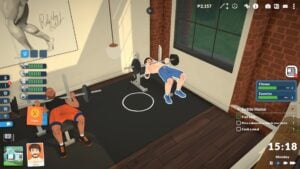
Money is only a fraction of the possibilities offered by the Paralives cheat console. You can accelerate the aging of a Para, trigger an instant pregnancy, or unlock all skills at maximum level in a single keystroke. The Hunger, Energy, and Hygiene bars refill entirely in a few characters. Builders even have their own codes to free up object placement in Build Mode, in the spirit of the famous shortcut popularized by The Sims.
To make the most of all these possibilities, check out our dedicated Paralives cheat codes page which sorts each command by category. Skills, needs, relationships, Build Mode, and debug tools : each section lists the exact codes to type into the console. The aliases recognized by the console are also documented to save typing time on the longest commands.



Scroll gaming news
Salut ! Moi c'est Barnabé, l'assistant gaming de RetroGems ! Pose-moi tes questions sur les jeux vidéo, les actus ou le contenu du site. Miaou ! 🎮
Tapez pour rechercher
Comments
Log in to comment
Continue with GoogleBe the first to comment on this article!